08Notifications
The Notifications page decides where to send what. Connect at least one channel.
- Telegram — "Connect Telegram", then "Start" in the bot. Cards come with buttons: mute the alarm, turn a group on, open the dashboard.
- Discord — "Connect Discord": cards come as direct messages. To post the team’s events to a channel of a Discord server, add the bot to the server and run /codelock connect in the channel.
- Browser — "Turn on in this browser": notifications arrive even with the tab closed.
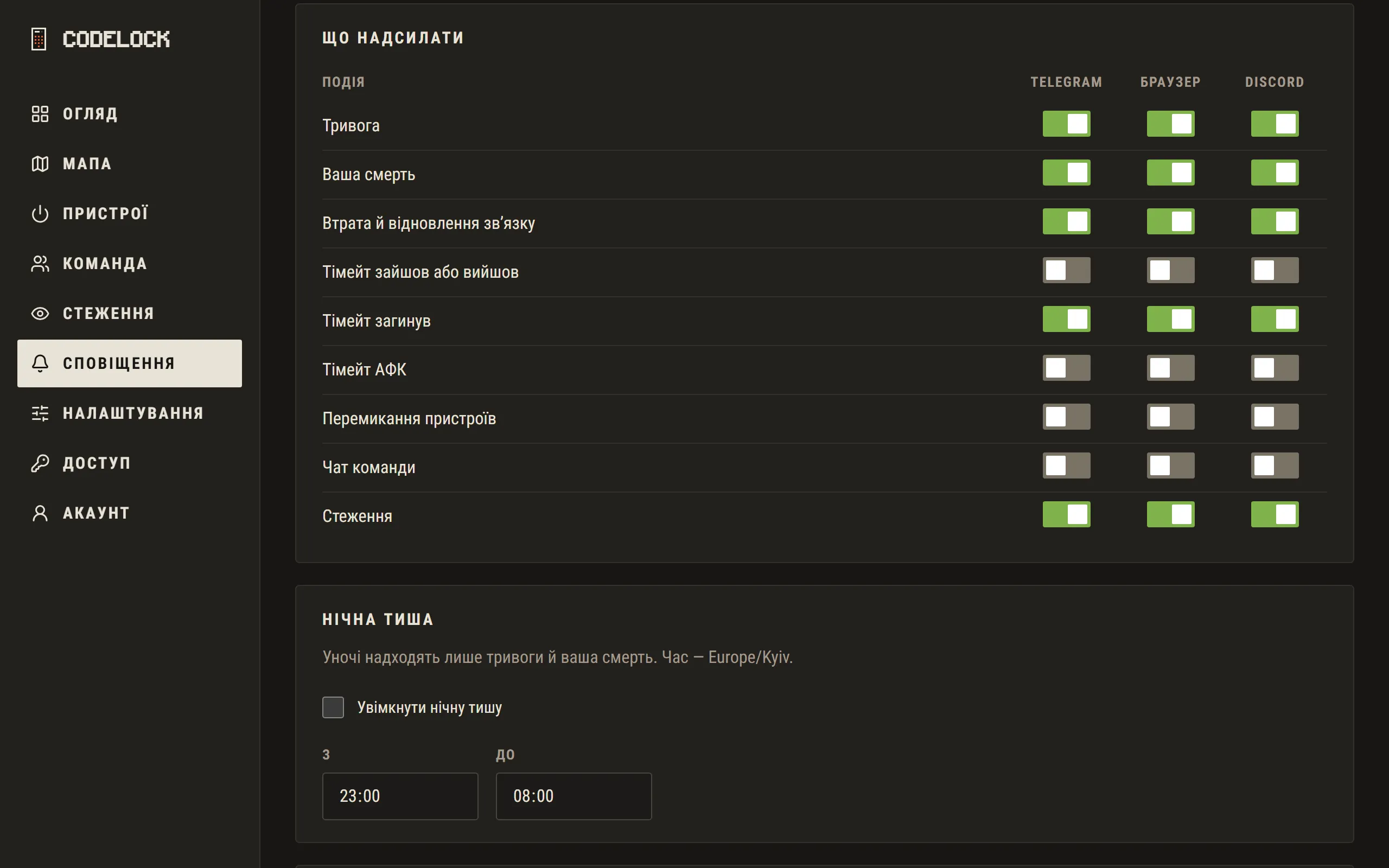
The "What to send" table switches each event per channel. Night quiet hours let through only alarms and your own death. Under Alarms you can put up to two group buttons on the card — e.g. turrets on with one tap.
"Send a test" checks every connected channel. The Delivery log at the bottom shows where each notification went and, if not, why.